Hybrid meet up
Browsers
Microsoft Edge 101
released 8 April 2022
note:
- No notable changes for developers.
Firefox 99
released 5 April 2022
note:
- No notable changes for developers.
Chrome 100
released 5 April 2022
note:
- improved JS debugging (preview of class properties)
- improved CSS debugging/experimenting, you can edit
@supportsrules
Chrome 101
released 26 April 2022
- new attribute
fetchpriority="high" - for
link,img,iframe,script
Use cases
- prioritize hero image => reduce LCP
- deprioritize images in the carousel
- combine with async/defer: keep essential scripts in high priority, while being async (async are low priority by default)
Note:
- LCP reduction
preloadis still required for the early discovery of LCP images included as CSS backgrounds and can be combined with priority hints by including thefetchpriority='high'on the preload, otherwise it will still start with the default "Low" priority for images.- Declaring scripts as
asyncordefertells the browser to load them asynchronously. However, as seen in the figure above, these scripts are also assigned a "low" priority. You may want to bump up their priority while ensuring asynchronous download, particularly for any scripts that are critical for the user experience.
Safari 15.4
released 14 March 2022
- parent (well, almost) selector
:has() - CSS :has( ) A Parent Selector Now by Matthias Ott
button:has(svg) {
}
note:
- first attempts to use it
- Matthias shows the potential of the new feature and it is breathtaking. Well, at least for coders.
- that is the simplest example, but what about this
/* if .grid contains 2 elements, create 2 columns */
.grid:has(:nth-child(2):last-child) {
  grid-template-columns: 1fr 1fr;
}
/* previous sibling selector! */
:has(+ .second) {
background-color: darkmagenta;
}note:
- combining the quantity queries by Heydon Pickering
- another previously impossible: select a previous sibling
/* parent selector, in the end */
:has(> .child) {
    color: grey;
}
note:
- CodePen - in Epiphany or Safari or Chrome 101 with experimental features enabled!!!
Internet Explorer
released 17 October 2013
No comment…
Caught in the net
note:
- I realised only yesterday this is the EN title of the famous CZ documentary about predators on internet. I hope, there is not any double meaning in it 😬
💾 Why we’re nostalgic for the early web
note:
- nice read about nostalgic recreations of early web designs with a deeper insight
Those HTML Attributes You Never Use
enterkeyhint(values:enter,done,go,next,previous,search,send)
<input type="text" enterkeyhint="done">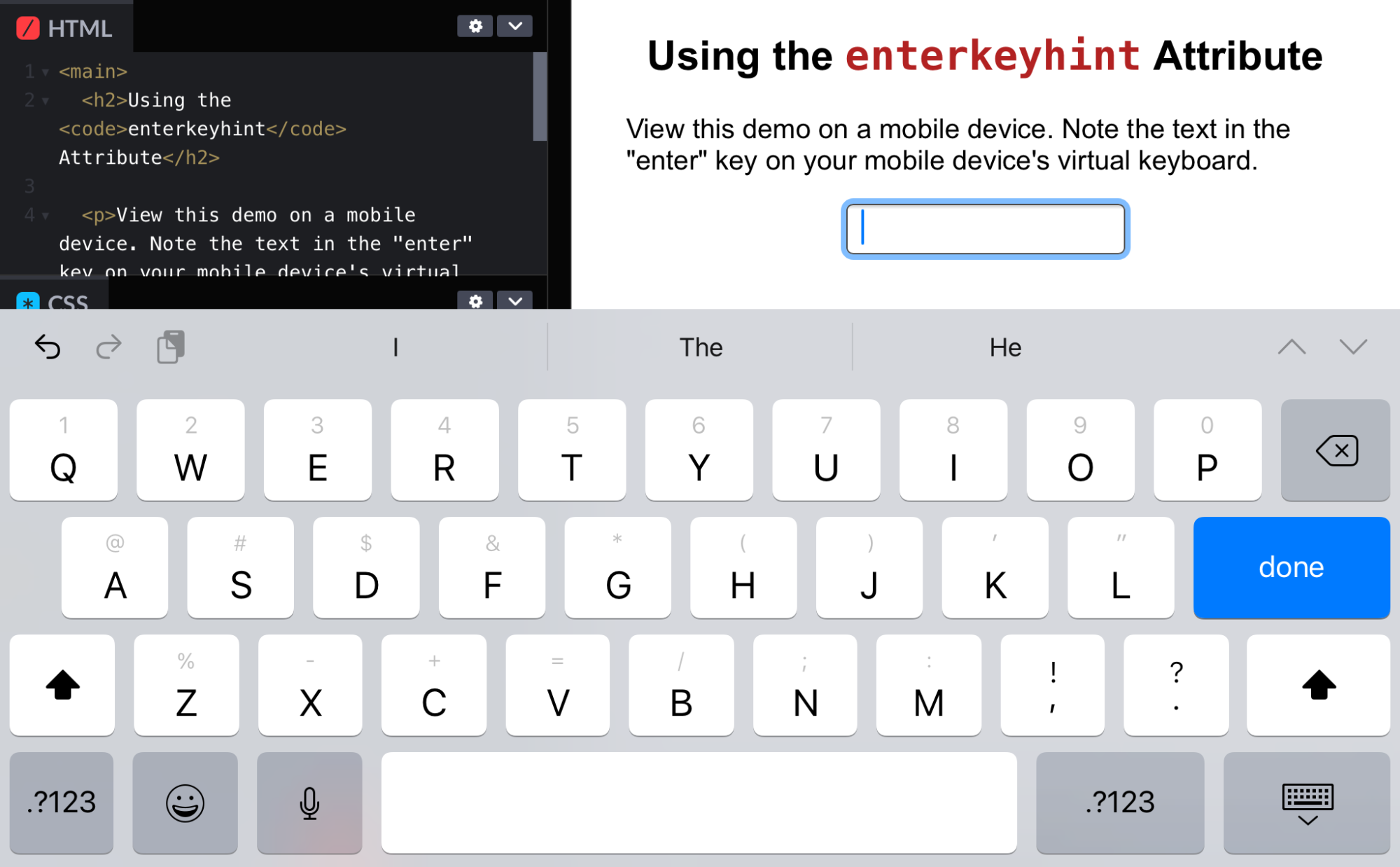
note:
-
You are probably familiar with
imagesizesandimagesrcsetattributes. But did you know you can use them for<link>? -
imagesizesandimagesrcset
titlefor<link>
note:
- lists:
reversedattribute, to number the items in reverse order (high to low instead of the default low to high);startattribute, to define what number to start from;typeattribute, to define whether to use numbers, letters, or Roman numerals;valueattribute, to specify a custom number on a specific list item
formmultipleintegrity
- a video by Miriam Suzanne
note:
- client controls the display
- in contrary to print even programming in JS the designer doesn't control but suggests
- this loosing of control is a feature of the language
- A metaphore I personally like: a stylesheet is like a text written by playwright, but what they gonna do with that in the theatre is beyond playwright's control. It depends on the context (how many actors do they have, what is the budget, for what audience it is mean to be done etc.).
note:
- let’s look at random website
- uses WebPageTest in background
Cache-Control for Civilians
by Harry Roberts aka @csswizardry
note:
- an article by Harry Roberts full of practical tips (as usual)
- not that new (published in 2019), but still valid, I am prettey sure you will find something new. And even if not, revisiting your cache strategy is always good idea.
- Two quotes from the article:
- The best request is the one that never happens: in the fight for fast websites, avoiding the network is far better than hitting the network at all. To this end, having a solid caching strategy can make all the difference for your visitors.
- I would always recommend solving your cache busting strategy before even thinking about your caching strategy.
Chrome usage data shows that 1 in 10 navigations on desktop and 1 in 5 on mobile are either back or forward.
note:
To test a particular page, navigate to it in Chrome and then in DevTools go to Application > Back-forward Cache. Next click the Run Test button and DevTools will attempt to navigate away and back to determine whether the page could be restored from bfcache.
Smashing Magazine: Performance Optimization Strategy in 2022
note:
- a checklist worth going through
Thanks, slides soon on @frontendisti